
Android Exporter for Clickteam Fusion 2.5 CD Key
Current Lowest Price

40.97$

53.12$

53.40$

99.99$



Release Date
Publisher/Developer
Reviews
Game Tags
System Requirements
- OS *: Minimum Windows XP SP3 Operating System. Supports Vista, 7 , 8 and Windows 10
- Processor: 200 Mhz Pentium processor or higher
- Memory: 256 MB RAM
- Graphics: Must support minimum of Direct3D 9
- Additional Notes: Broadband Internet connection
Android Exporter for Clickteam Fusion 2.5 Steam Price History Chart
Lowest Steam price ever: 34.99$ — 2026-07-09
Android Exporter for Clickteam Fusion 2.5 description
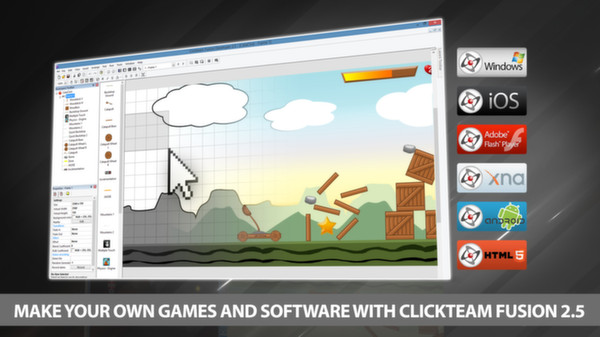
Unlock your creative potential with the Android Exporter for Clickteam Fusion 2.5! This powerful module allows you to develop high-quality Android applications swiftly and efficiently, leveraging Clickteam Fusion 2.5 or 2.5 Developer. With its intuitive drag-and-drop interface and advanced event line editor, you can craft any 2D game or app you envision for Android devices, including phones and tablets.
Once your project is complete, simply click “Build & Run” to generate an APK file that installs directly onto your test device with one click, thanks to auto-install support for most devices. Tap into the rapidly expanding mobile software market with ease!
To create your Android application, start by installing Android Studio. Then, configure Clickteam Fusion 2.5 by setting the paths for the Java SDK and the Android SDK. These directories are typically established during the Android Studio installation. Remember, to publish your apps, you’ll need to sign them with a certificate and register for a developer account on the Android Market for a nominal fee.
Get started today with the Android Exporter for Clickteam Fusion 2.5 and bring your app ideas to life!