Start10 CD Key
Current Lowest Price

4.20$

5.47$

6.08$

Release Date
Publisher/Developer
Reviews
System Requirements
- OS: Windows 10
- Processor: Dual-core or better processor
- Memory: 1 MB RAM
- Storage: 50 MB available space
- Additional Notes: ARM processors are not supported.
Start10 description
Start10 — Custom Start Menu for Windows
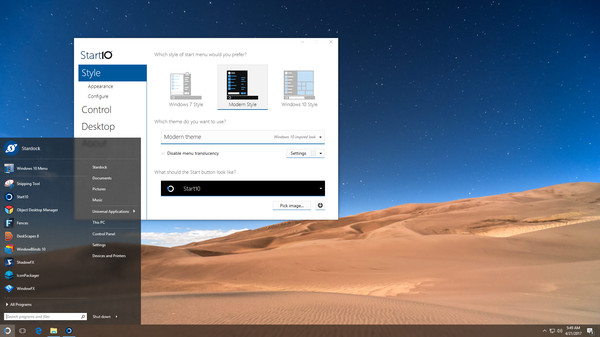
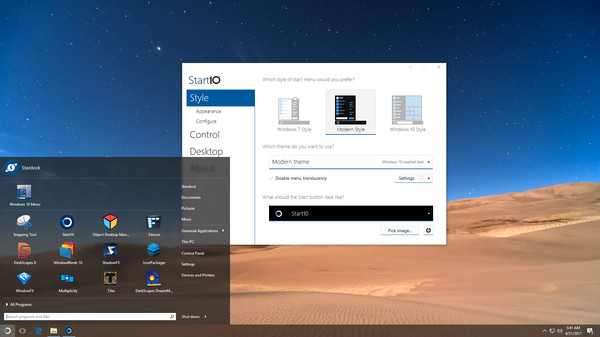
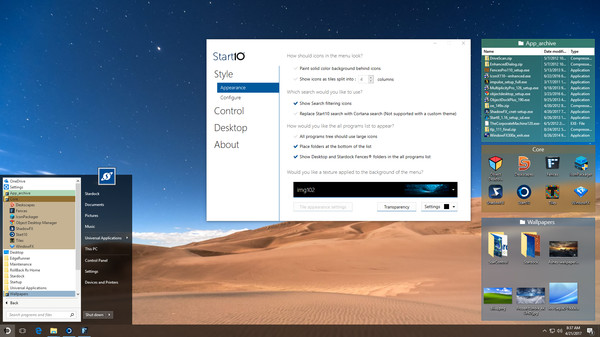
Start10 is a flexible Start menu solution that brings back the familiar Start experience while unlocking advanced customization. It replaces the Windows 10 tile menu with a choice of a classic Windows 7–style menu or a Modern design, all accessible through an easy-to-use onboard configuration interface.
Key capabilities include quick access to Universal and Classic applications, streamlined search, and a layout that adapts to your workflow. The Start10 search box can filter results, and you also get a dedicated Start10 search plus one-click shortcuts within the menu. This makes it faster to locate apps, settings, or web results without leaving the Start menu.
- Replace or extend the Start button and customize how the Windows key behaves when pressed.
- Maintain the classic All Programs metaphor, while mixing in modern organization and shortcuts.
- Enable quick access to Universal applications and added shortcuts directly from the Start menu.
Fences integration is built in, so you can manage your favorite programs in a tidy grid inside the Start menu. This works without minimizing or moving open windows, and it preserves the workflow you already rely on. For Fences users, Start10 offers seamless harmony between launch surfaces and desktop organization.
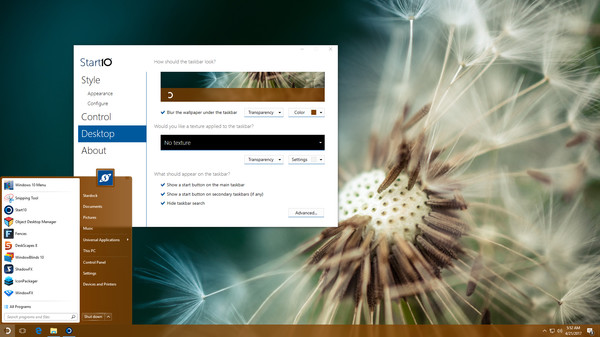
Appearance and feel are fully customizable. Apply textures to the Start10 background and taskbar to create a cohesive look that matches your desktop theme. You can enable taskbar transparency, adjust the blur level of the background, and fine-tune the visual depth to reduce clutter and improve focus. The menu size is adjustable, so you can scale the Start menu to your display and preferred reading distance.
Layout control and accessibility options let you tailor the right-hand panel, add or remove shortcuts, and decide how the Start button and Windows key behave in different contexts. You can also hide the Start button on secondary displays to keep multi-monitor setups clean while you work or play.
Start10 is designed to be intuitive and quick to configure, with a clean UI that puts the most-used features at your fingertips. Whether you want a nostalgic classic Start menu or a sleek modern panel, Start10 adapts to your needs and reflects your personal style, while keeping fast access to your most important apps and tools.