

Blender CD Key
Looking for the best price for Blender? Compare offers from 1 stores on CheckGamePrices to find the cheapest Steam key available. Right now, the lowest price is 0.00$ at Steam.
Current Lowest Price
FREE

Visit store

Release Date
24 Apr, 2015
Publisher/Developer
Blender Foundation
Reviews
Steam: 95.97% positive (89080/92819)
Metacritic: -
Game Tags
System Requirements
Minimum:
- OS: Windows 10
- Processor: Quad core CPU
- Memory: 8 GB RAM
- Graphics: 2GB RAM, OpenGL 4.3
- Storage: 500 MB available space
Recommended games




Blender Steam Price History Chart
Current Steam price: FREE
Lowest Steam price ever: FREE — 2026-10-19 — Current low
Lowest Steam price ever: FREE — 2026-10-19 — Current low
Loading Blender price history chart...
Blender Reviews Summary
Users wrote
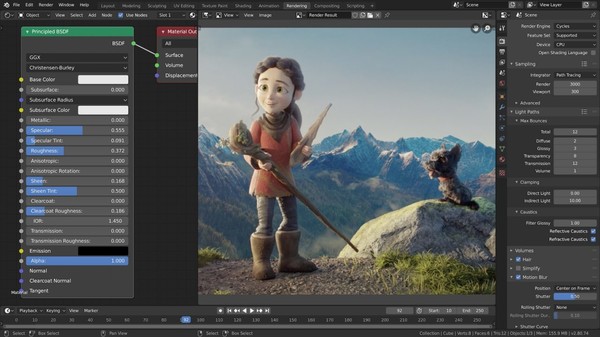
Blender is free and open-source, offering a complete all-in-one 3D toolset. Reviewers highlight its powerful features, large community, and wealth of tutorials. However, many note a steep learning curve and occasional stability issues, especially on lower-end hardware. Overall, it is a highly capable, free option that requires time and effort to master.
Last updated: 2026-03-01
Most Mentioned Advantages
- Free and open-source (25 mentions) - Blender is free to use, with no purchase required. It is open-source, which has created a large community that contributes tutorials, plugins, and fixes. This makes Blender accessible to beginners and hobbyists. The free model also means you can experiment and learn without cost.
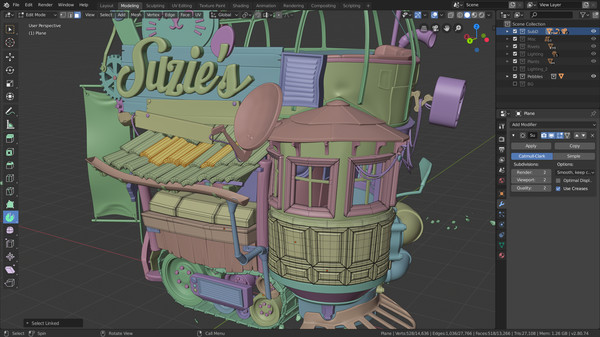
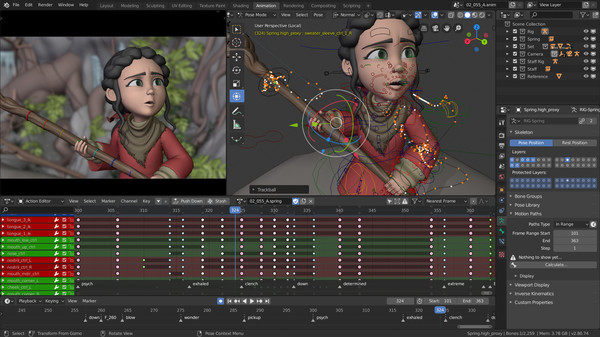
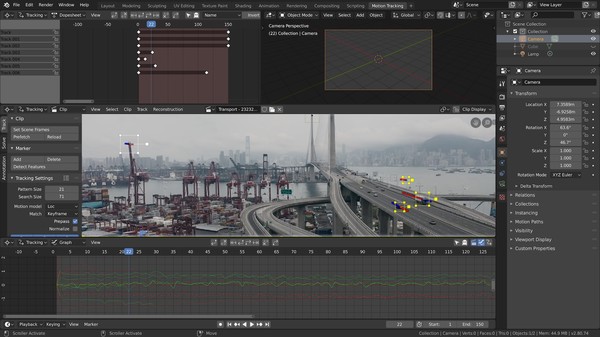
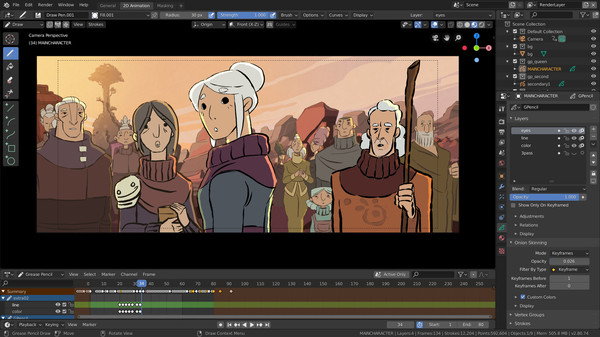
- All-in-one 3D toolset (18 mentions) - Blender combines modeling, sculpting, animation, VFX, and video editing in one program. This reduces the need to switch between multiple software tools. It also includes Grease Pencil for 2D drawing within a 3D workflow. The integrated toolkit supports a broad range of workflows.
- Powerful features and large community (15 mentions) - Blender offers a broad set of tools for 3D creation and rendering. It includes advanced capabilities like Geometry Nodes and multiple render engines. Being open-source, it benefits from a large community that produces tutorials, add-ons, and community support. This combination contributes to its widespread use in many industries.
- Beginner-friendly resources (12 mentions) - Although Blender has a learning curve, there are many tutorials and guides available for beginners. Step-by-step lessons and community examples can help new users get started. With time and practice, users can progress from simple projects to more complex ones.
- Active development and community support (10 mentions) - The project is actively developed by a large community, ensuring ongoing improvements and assistance. Users can find help or examples in forums and documentation that evolve with new releases.
Most Mentioned Disadvantages
- Steep learning curve (30 mentions) - Many reviewers note Blender is hard to learn and requires significant time, patience, and practice. Beginners may feel overwhelmed at first. The learning curve can slow down early projects as users figure out how the tools work.
- Stability and performance issues (13 mentions) - Some users report crashes, freezes, or unstable behavior, and performance can vary depending on hardware. Some issues are resolved in later updates, but reliability remains a concern for some users. This can disrupt workflows and progress.
- Complex and overwhelming interface (9 mentions) - The UI is large and can be difficult to navigate for new users, requiring time to find a comfortable workflow. The abundance of tools and panels can feel chaotic before you learn a routine. This contributes to the initial sense of overwhelm when starting out.
- Hardware requirements (6 mentions) - Running Blender smoothly may require a relatively capable PC, and performance can suffer on lower-end hardware. While some users can run it on modest setups, others notice slower performance on weaker machines. A decent GPU and CPU help maintain a smoother workflow.
- Documentation and tutorials gaps (4 mentions) - There are complaints about outdated manuals or insufficient built-in tutorials; external learning resources are often needed. Users often rely on community guides and forums for up-to-date instructions.
Compared Games
- 3ds Max (2 mentions) - Some reviewers say Blender runs faster than 3ds Max and has a more modern interface; it's seen as a strong free alternative to paid software.
- Maya (2 mentions) - Reviewers compare Blender to Maya, noting it is a powerful free option and sometimes competitive with paid software.
Users wrote
Advantages mentioned by the majority
Less frequently mentioned disadvantages
Comparisons to other games