
OBS Studio CD Key
Looking for the best price for OBS Studio? Compare offers from 1 stores on CheckGamePrices to find the cheapest Steam key available. Right now, the lowest price is 0.00$ at Steam.
Current Lowest Price
FREE

Visit store
Release Date
21 Mar, 2022
Publisher/Developer
OBS Project
Reviews
Steam: 95.33% positive (55876/58616)
Metacritic: -
Game Tags
System Requirements
Minimum:
- Requires a 64-bit processor and operating system
- OS: Windows 10 20H2 (64 bit)
- Processor: Intel i5 2500K, AMD Ryzen 1300X
- Memory: 4 GB RAM
- Graphics: GeForce GTX 900 Series, Radeon RX 400 Series, Intel HD Graphics 500
- DirectX: Version 11
- Storage: 600 MB available space
- Additional Notes: Hardware encoders recommended
Recommended games




OBS Studio Steam Price History Chart
Current Steam price: FREE
Lowest Steam price ever: FREE — 2026-10-19 — Current low
Lowest Steam price ever: FREE — 2026-10-19 — Current low
Loading OBS Studio price history chart...
OBS Studio Reviews Summary
Users wrote
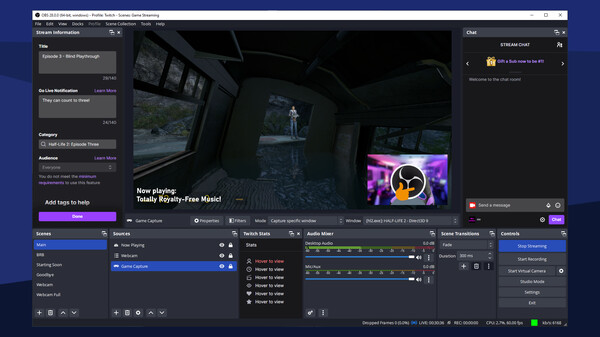
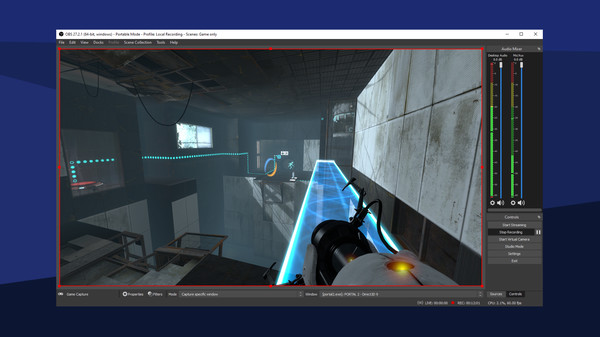
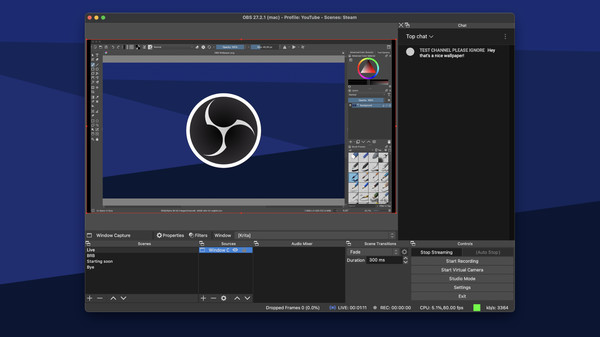
Steam reviews widely praise OBS Studio as a powerful, free tool for streaming and recording. Reviewers highlight high-quality output, lightweight operation, and strong customization with plugins. However, many note a learning curve and stability issues like crashes and audio sync problems, sometimes on Linux. There are explicit comparisons to Streamlabs OBS and Fraps, with OBS often favored for features and quality. Overall, it's seen as a top free option with caveats about setup and reliability.
Last updated: 2026-03-05
Most Mentioned Advantages
- Free and open source (20 mentions) - OBS Studio is free to use and open source, with no subscription required. This makes it accessible to many users, including hobbyists and budget creators. The Steam version adds convenience, letting you install and update from the Steam client. Its no-cost nature is repeatedly noted by reviewers.
- High-quality output (17 mentions) - Reviewers report high-quality video and audio output from OBS Studio. You can customize output settings for different platforms. Some reviews say it provides better quality than competing programs. The overall quality is a major positive.
- Extensive customization and plugins (14 mentions) - OBS Studio offers extensive customization with many settings and plugins. There are many plugins for advanced features. The open-source nature ensures ongoing improvement and community support. This flexibility is repeatedly praised by reviewers.
- Lightweight and efficient (12 mentions) - OBS Studio is lightweight and fast, with minimal impact on system performance during recording and streaming. It can run smoothly on modest hardware. Reviewers note that it uses limited resources and does not cause a large performance hit. This makes it suitable for a wide range of PCs.
- Steam access and updates (9 mentions) - The Steam version is easy to access and install. Steam also provides straightforward updates. This makes it convenient for users who prefer Steam for software management.
Most Mentioned Disadvantages
- Learning curve and complexity (18 mentions) - Many reviewers say OBS Studio has a learning curve and can be confusing at first. The wide range of options can be overwhelming for beginners. It may take time and guides to learn how to configure it well. This can slow initial setup.
- Stability issues and performance problems (15 mentions) - Several reviews report crashes and instability during use. Others mention performance problems like lag, dropped frames, or encoding overload. These issues can disrupt long recording or streaming sessions.
- Audio sync issues (8 mentions) - Some reviewers report audio synchronization problems across devices or during long sessions. Balancing microphone and desktop audio can be tricky. Issues can affect the final recording or stream.
- Plugin conflicts and maintenance (4 mentions) - The plugin ecosystem can cause bugs or conflicts, and plugin updates can introduce new issues. Maintenance may be required to keep everything working smoothly.
- Linux compatibility and Steam on Linux (3 mentions) - There are Linux-specific problems, with some reviews stating that streaming on Linux does not work or that Steam version has issues on Linux. This can limit use for Linux users.
Compared Games
- Streamlabs OBS (3 mentions) - Reviewers note that Streamlabs OBS is easier to learn, but OBS Studio offers more features and potentially better quality. Some say OBS is the better choice for serious streaming or recording.
Users wrote
Advantages mentioned by the majority
Less frequently mentioned disadvantages
Comparisons to other games