

Soundpad CD Key
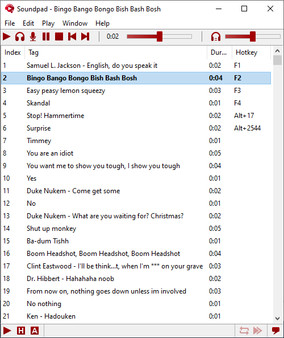
Soundpad is a soundboard application that lets you play high-quality sounds in voice chats across various platforms like Discord and Teamspeak. It features hotkey support, a built-in sound recorder and editor, volume normalization, and supports multiple audio file types. Try the free demo today!
Looking for the best price for Soundpad? Compare offers from 4 stores on CheckGamePrices to find the cheapest Steam key available. Right now, the lowest price is 4.39$ at Kinguin, which is 12% cheaper than the current Steam price (4.99$).
Current Lowest Price
4.39$

Visit store
Kinguin
4.39$

Steam
4.99$

GameSeal - Soundpad (PC) Steam Gift - GLOBAL
6.33$

Gamivo - Soundpad EU
7.92$
Release Date
30 Sep, 2017
Publisher/Developer
Leppsoft
Reviews
Steam: 96.05% positive (93247/97077)
Metacritic: -
Game Tags
System Requirements
Minimum:
- OS *: Windows 7 or newer
- Processor: Intel or AMD with 1 GHz or faster
- Memory: 512 MB RAM
- Storage: 20 MB available space
- Sound Card: A sound card must be installed
- Additional Notes: At least one audio recording device, e.g. microphone
Recommended games




Soundpad Steam Price History Chart
Current Steam price: 4.99$
Lowest Steam price ever: 3.99$ — 2026-10-08
Lowest Steam price ever: 3.99$ — 2026-10-08
Loading Soundpad price history chart...
Soundpad Reviews Summary
Users wrote
Soundpad is widely praised for being cheap and easy to set up. Reviewers highlight strong customization options like lists, templates, hotkeys, and drag-and-drop organization. Many use it to troll or amuse friends in voice chats and games. However, several reviews warn about downsides such as muting or bans, anti-cheat conflicts, and occasional reliability issues after updates. A few mention lacking cloud saves or a workshop and some note volume control limitations.
Last updated: 2026-03-01
Most Mentioned Advantages
- Easy to use (13 mentions) - Soundpad is easy to set up and simple to use. Reviewers say it works with many voice chat apps and games after a quick setup. The interface is straightforward and uses hotkeys to access sounds quickly. It performs reliably during long gaming sessions.
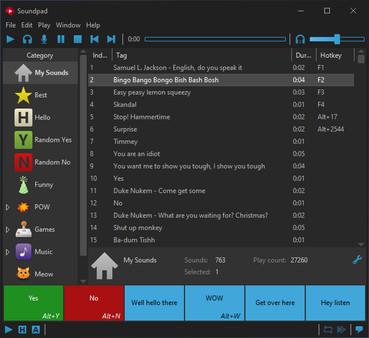
- Customization and organization (12 mentions) - Reviewers praise extensive customization options. They can organize sounds into lists and templates, create categories, and drag-and-drop to manage sounds. The app supports hotkeys and editing audio, enabling tailored soundboards for different situations. It is described as user-friendly and flexible.
- Fun to troll / amuse others (12 mentions) - Reviewers often mention using Soundpad to annoy or prank friends in voice chats and games. It is described as fun and entertaining, with many sounds to surprise others. The effect can be humorous in the right context but may irritate others if misused.
- Works across apps and games (6 mentions) - Soundpad works with Discord, in-game voice chat, and other apps. It integrates well and does not add noticeable delays when used properly. It is reliable across different platforms.
- Low price / value (5 mentions) - Many reviewers say the app is affordable and offers good value for money. They compare it to more expensive options and say it is worth buying. Some reviews mention very low prices such as five dollars or euros. Others describe it as a cost-effective way to add sound effects to chats and games.
Most Mentioned Disadvantages
- Loss of friends / social fallout (6 mentions) - Many reviews mention losing friends after using Soundpad or being ignored in chats. Some report that loud sounds caused friends to stop talking to them. The social outcome can be negative.
- Muting / banning risk (5 mentions) - Several reviewers report getting muted, kicked, or banned when using Soundpad in games or servers. The social consequences can include losing friends or being blocked. Use with moderation to avoid trouble. Some reviews mention being kicked from CS, Minecraft, or other servers.
- Volume control limitations (2 mentions) - Several reviews note that adjusting the output volume is not easy. In some cases the program selects a volume based on the mic, which can be too loud or too soft.
Users wrote
Advantages mentioned by the majority
Less frequently mentioned disadvantages
Comparisons to other games
Soundpad description
Soundpad
Soundpad is an innovative soundboard application that allows you to enhance your voice chats by playing high-quality sounds. Unlike traditional soundboards, Soundpad enables you to share sounds with others in real time, making your conversations lively and entertaining.
Key Features
- Versatile Compatibility: Soundpad works seamlessly with popular voice applications such as Teamspeak, Mumble, Skype, Discord, and even games like Dota 2, CS:GO, and PUBG.
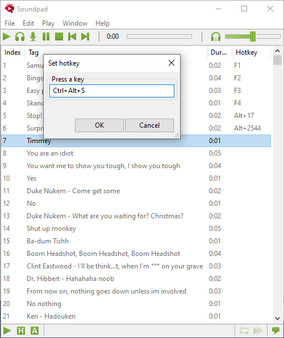
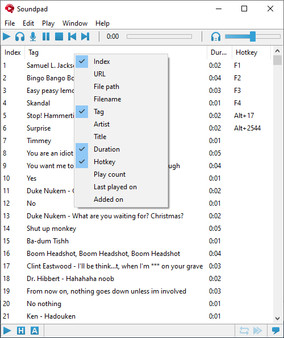
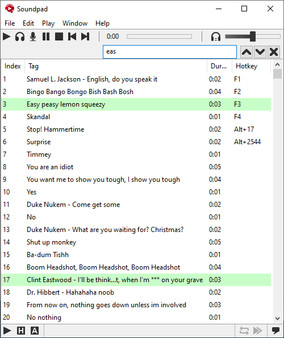
- Hotkeys: Assign custom hotkeys to your sound files for quick access during gameplay or chats, allowing for a smooth experience.
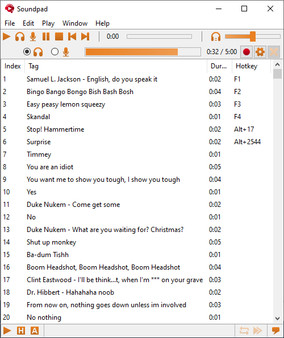
- Sound Recorder and Editor: Easily record audio from your system and use the integrated editor to cut and modify your sounds.
- Volume Normalization: Ensure consistent audio levels with the volume normalization feature, balancing louder and quieter sound files for a professional finish.
- Easy Setup: Soundpad integrates as an audio driver extension, requiring only a simple system restart for full functionality.
With support for various file formats, including aac, mp3, and wav, Soundpad is the ultimate tool for sound enthusiasts. Try the free demo today and start customizing your sound experience!