

Auto Clicker CD Key
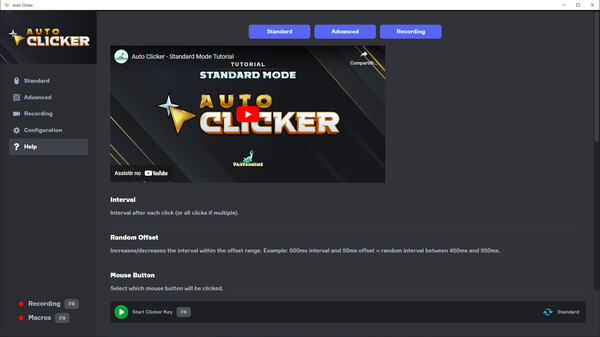
Auto Clicker automates mouse clicks for games and applications, offering Standard and Advanced versions. Features include customizable click intervals, single/double clicks, fixed location or image detection, and recording functionalities. Compatible with Windows 10+, it simplifies repetitive tasks to enhance user experience.
Looking for the best price for Auto Clicker? Compare offers from 1 stores on CheckGamePrices to find the cheapest Steam key available. Right now, the lowest price is 4.99$ at Steam.
Current Lowest Price
4.99$

Visit store
Release Date
19 Sep, 2024
Publisher/Developer
Playsaurus
Reviews
Steam: 87.85% positive (665/757)
Metacritic: -
System Requirements
Minimum:
- OS: Windows 10 (10.0.17763.0)
- Processor: Intel Pentium Processors
- Memory: 1 GB RAM
- Storage: 500 MB available space
- Additional Notes: Memory requirements may increase if you use image detection feature.
Recommended games



Auto Clicker Steam Price History Chart
Current Steam price: 4.99$
Lowest Steam price ever: 3.49$ — 2026-10-08
Lowest Steam price ever: 3.49$ — 2026-10-08
Loading Auto Clicker price history chart...
Auto Clicker description
Auto Clicker
Auto Clicker is your ultimate solution for automating clicks in games and various applications, designed to enhance your gaming experience and streamline repetitive tasks. Choose between the Standard or Advanced version to cater to your specific needs.
Standard Clicker
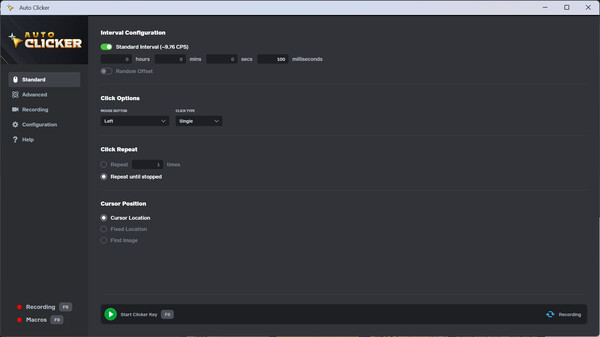
The Standard Clicker offers a quick setup with minimal configuration. Key features include:
- Configurable click intervals with random offsets.
- Options for left, right, or middle mouse button clicks.
- Single, double, or hold clicks.
- Set a specific number of clicks or run indefinitely.
- Configure click locations based on cursor position, fixed coordinates, or image-based detection.
Advanced Clicker
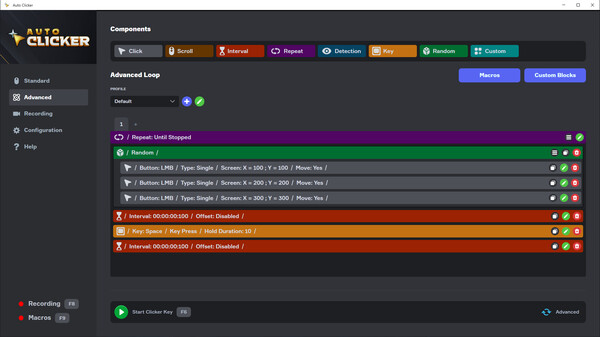
The Advanced Clicker provides comprehensive customization through blocks, including:
- Click Block: Execute clicks based on your defined configuration.
- Interval Block: Wait for a specified time before proceeding.
- Repeat Block: Execute a sequence multiple times or until interrupted.
- Detection Block: Identify images on-screen and execute related actions.
- Key Block: Simulate key presses accurately.
- Custom Block: Organize and repeat sequences as needed.
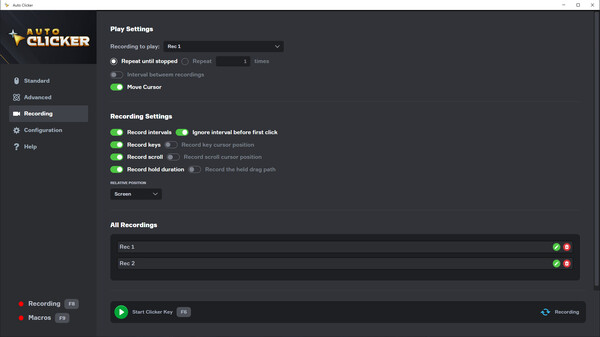
Additionally, you can record your clicks and key presses for playback or import them into custom blocks for advanced usage. Please note that image detection may be unreliable on certain images and is only compatible with Windows 10 and above.