Ultraleap Hyperion - Launcher CD Key
Current Lowest Price



Release Date
Publisher/Developer
Reviews
System Requirements
- Requires a 64-bit processor and operating system
- OS: Windows 10
- Processor: Intel Core i5-4590 / AMD FX 8350
- Memory: 8 GB RAM
- Graphics: GTX 1070, 1080, 2080
- Storage: 2 GB available space
- VR Support: OpenXR
- Additional Notes: Hand tracking requires Ultraleap Gemini or Hyperion and a connected Ultraleap tracking camera
Ultraleap Hyperion - Launcher description
Ultraleap Hyperion - Launcher Description
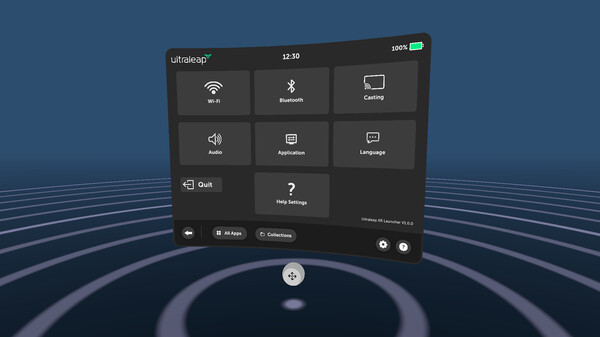
The Ultraleap Hyperion Launcher showcases a cutting-edge, hands-driven menu designed to seamlessly launch individual applications and experiences in virtual reality. This intuitive demo provides a glimpse into a futuristic headset launcher, applicable across various menu types. Its 2D interface allows for natural touchscreen interactions translated into the VR space, enabling users to scroll and select options effortlessly, without any prior training.
One of the standout features is the QWERTY keyboard, which users can engage with as they would in real life, enhancing the immersive experience. For users with existing Ultraleap VR applications, these will automatically populate within the Ultraleap XR Launcher. However, if no apps are installed, the interface will appear empty.
Launching applications through the Launcher takes you directly into the VR experience, but exiting an app will return you to your device's home screen instead of the Launcher. Additionally, the application automatically detects headset passthrough support, providing an option to disable it via the hand menu for those who prefer an exclusive VR experience.
To get started, ensure that Ultraleap Hyperion is launched before opening this demo app!