RPG Maker MZ - Menu Builder CD Key
Create custom menus and scenes in this RPG Maker plugin. It features flexible UI customization, script execution, and dynamic background setup. Setup requirements for menu options based on variables, items, and more. Ideal for personal or commercial projects. Modify assets for exclusive use.
Looking for the best price for RPG Maker MZ - Menu Builder? Compare offers from 1 stores on CheckGamePrices to find the cheapest Steam key available. Right now, the lowest price is 9.99$ at Steam.
Current Lowest Price
9.99$

Visit store
Release Date
09 Oct, 2024
Publisher/Developer
Synrec, Gotcha Gotcha Games
Reviews
Steam: 66.67% positive (2/3)
Metacritic: -
System Requirements
Minimum:
- Additional Notes: System supporting RPG Maker MZ
RPG Maker MZ - Menu Builder Steam Price History Chart
Current Steam price: 9.99$
Lowest Steam price ever: 5.49$ — 2026-02-23
Lowest Steam price ever: 5.49$ — 2026-02-23
Loading RPG Maker MZ - Menu Builder price history chart...
RPG Maker MZ - Menu Builder description
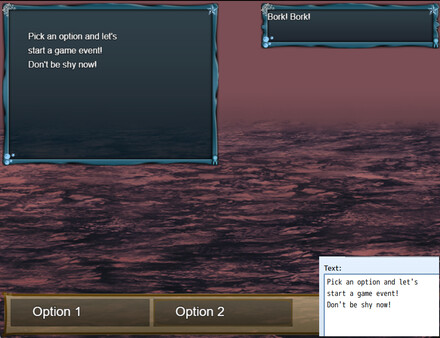
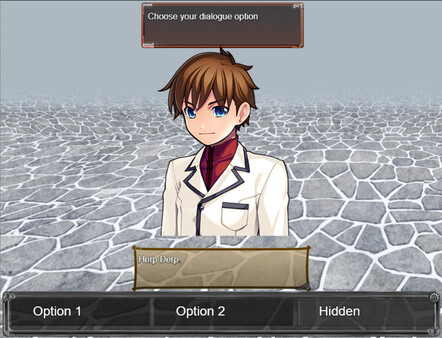
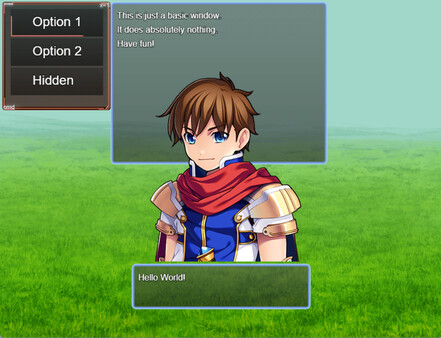
RPG Maker MZ - Menu Builder is a powerful plugin designed for creating customized menus within your RPG Maker projects. This tool facilitates seamless menu building and linking to other scenes, allowing for a highly interactive experience. You can execute both script calls and events, set up compelling backgrounds and foregrounds, and configure touch buttons tailored to your game’s needs.With Menu Builder, you will need to establish custom menus in the plugin parameters before integrating them into your gameplay. Each menu requires the setup of a selection window that displays the options available in the scene. Adjust dimensional settings to control the size and placement of the selection window, and customize the font and style through the window skin and opacity parameters.Key features include the ability to configure selection options based on various conditions, such as variables, switches, and equipped items. Static and animated graphics can enhance your scene, allowing for dynamic visual feedback during menu interactions. Additionally, you can set up scene buttons that trigger specific actions when hovered over or clicked.Perfect for both personal and commercial projects using RPG Maker, Menu Builder allows for a flexible and engaging user interface to enhance the gaming experience.