
Realtime Screen OCR Translator CD Key
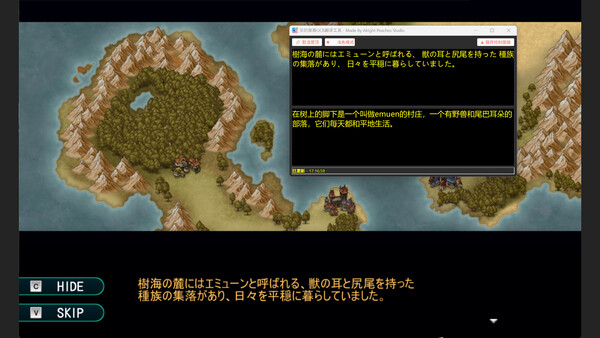
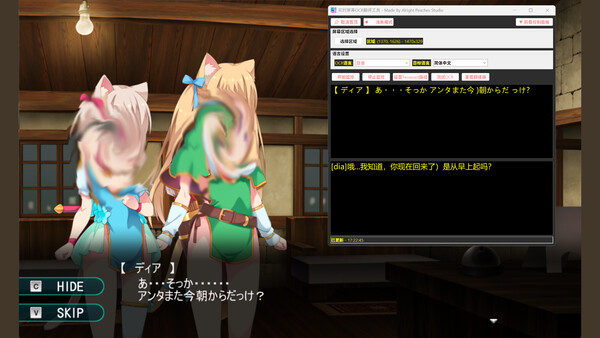
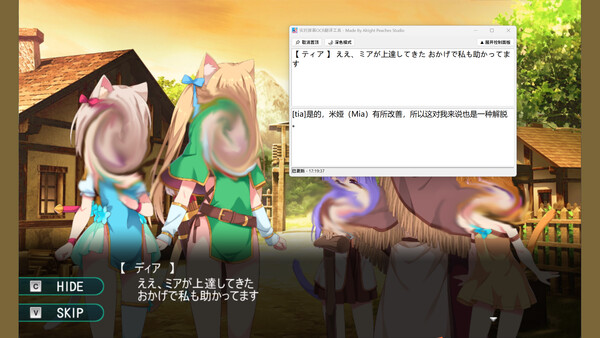
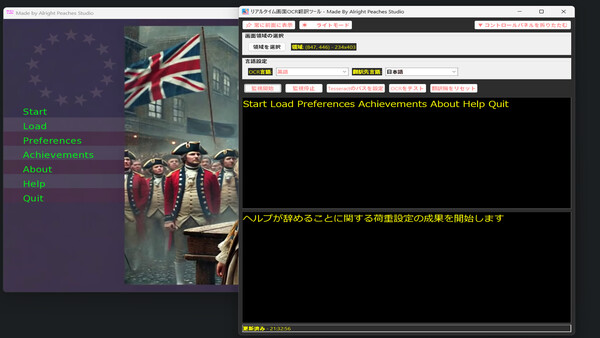
Screen OCR Translator lets you select any on-screen area to automatically OCR and translate foreign text in real time as it changes. Ideal for games, videos, documents, and software you can’t copy from. Simple one-click use, multi-language support, and optional light/dark themes.
Looking for the best price for Realtime Screen OCR Translator? Compare offers from 2 stores on CheckGamePrices to find the cheapest Steam key available. Right now, the lowest price is 0.99$ at Steam.
Current Lowest Price
0.99$
Visit store
Steam
0.99$

Eneba - Realtime Screen OCR Translator Steam Key (PC) GLOBAL
711.17$
Release Date
21 Aug, 2025
Publisher/Developer
Alright Peaches Studio
Reviews
Steam: 54.37% positive (56/103)
Metacritic: -
Recommended games


Realtime Screen OCR Translator Steam Price History Chart
Current Steam price: 0.99$
Lowest Steam price ever: 0.59$ — 2026-10-08
Lowest Steam price ever: 0.59$ — 2026-10-08
Loading Realtime Screen OCR Translator price history chart...
Realtime Screen OCR Translator description
Realtime Screen OCR Translator
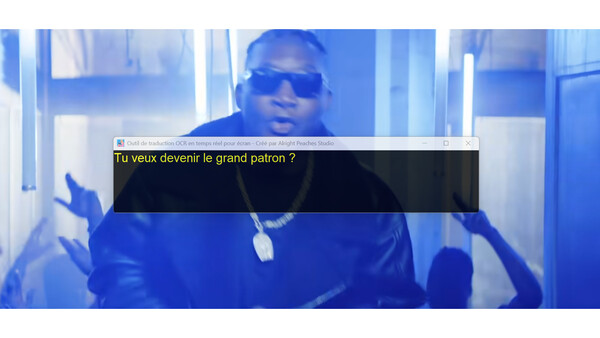
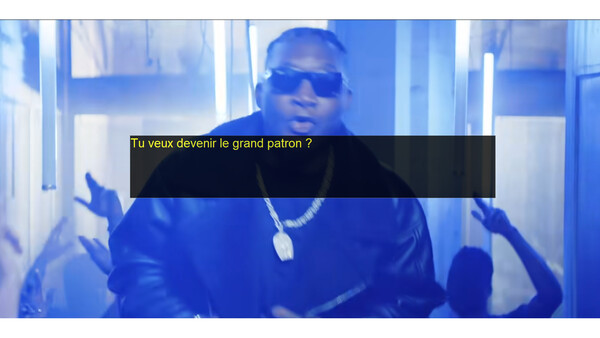
Realtime Screen OCR Translator is a lightweight desktop utility made for moments when you can’t copy text—like game dialogues, subtitles in videos, images, or foreign-language software interfaces. Instead of switching apps or manually typing, it lets you select a region of your screen, recognizes the text inside it using OCR, and translates it instantly into your preferred language. As the text in that screen area changes, the translation updates as well—making it ideal for fast-paced gameplay or constantly changing captions.
The app is built to be simple and frictionless: no accounts, no API keys, and no complicated setup. Just choose an area, start monitoring, and read the translated output.
Core Features
- Real-time OCR monitoring – Continuously detects and extracts text from a chosen screen region. The OCR module is built-in locally to improve recognition speed and efficiency.
- Instant translation – Converts recognized text to your target language using fast online translation services.
- Wide language support – OCR and translation support extend to most languages supported by Google Translate and Tesseract-OCR, enabling recognition and translation across a broad range of languages (including many beyond the interface languages).
- Custom region selection – Easily define, move, and resize the capture area to focus only on the text you need.
- One-click workflow – Start/stop monitoring quickly with a clean, straightforward interface.
- Workspace hiding – Keep your screen tidy by hiding the workspace when you want an unobstructed view.
- Light/Dark modes – Choose the theme that fits your environment and reduces eye strain.
Interface Languages
The software interface currently supports 11 languages: English, Japanese, German, French, Russian, Portuguese, Spanish, Korean, Simplified Chinese, Traditional Chinese, and Thai, with more planned.
Perfect For
Use Realtime Screen OCR Translator for translating game UI and dialogue, understanding foreign subtitles, reading scanned or image-based text, studying international materials, or navigating programs that don’t offer your language.