
Fixer Toolkit – Window & Layout Manager CD Key
FixerToolkit is a Windows automation and window-control tool. Record and replay mouse/keyboard actions, remap keys, and schedule power tasks. Precisely resize, position, and customize windows with borderless fullscreen, cursor lock, always-on-top, transparency, and click-through. Save and auto-load profiles for apps and folders.
Looking for the best price for Fixer Toolkit – Window & Layout Manager? Compare offers from 1 stores on CheckGamePrices to find the cheapest Steam key available. Right now, the lowest price is 0.99$ at Steam.
Current Lowest Price
0.99$

Visit store
Release Date
12 Dec, 2025
Publisher/Developer
istenen
Reviews
Steam: 100.00% positive (5/5)
Metacritic: -
Game Tags
Fixer Toolkit – Window & Layout Manager Steam Price History Chart
Current Steam price: 0.99$
Lowest Steam price ever: 0.79$ — 2026-01-25
Lowest Steam price ever: 0.79$ — 2026-01-25
Loading Fixer Toolkit – Window & Layout Manager price history chart...
Fixer Toolkit – Window & Layout Manager description
Fixer Toolkit – Window & Layout Manager
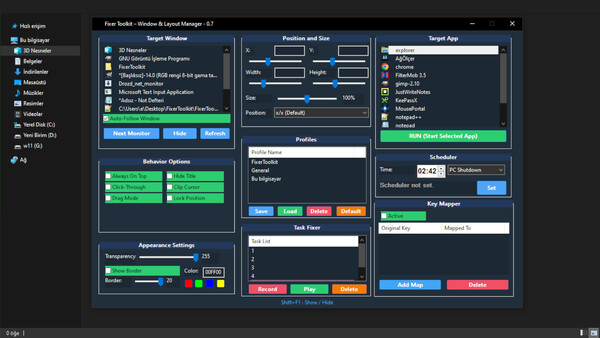
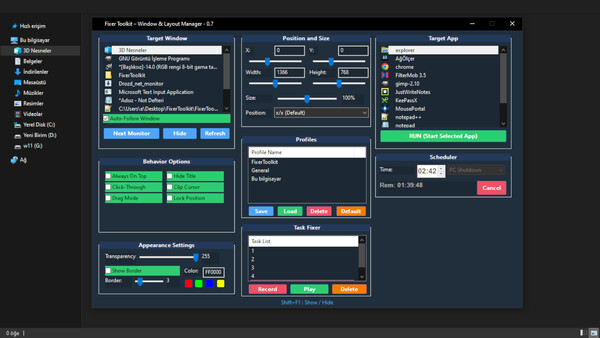
Fixer Toolkit is a powerful desktop utility that gives you precise control over windows, layouts, and automation. Whether you’re gaming on a multi-monitor setup, streaming with multiple tools open, or building a clean workstation for development and design, it helps you place, resize, pin, and manage applications exactly the way you want.
Window Control & Layout Tools
- Total position & size control: set exact pixel coordinates (X/Y) and dimensions (W/H) for any window.
- Fast adjustments: use responsive sliders when you don’t know the numbers.
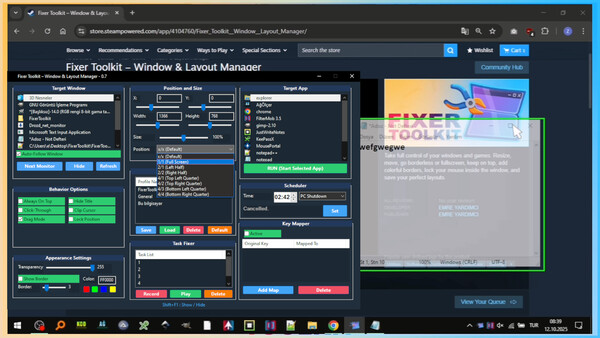
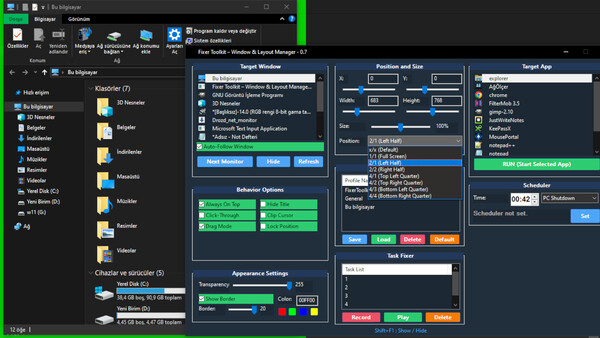
- One-click snaps: instantly switch to Full Screen or Half Screen layouts.
- Keep aspect ratio: resize proportionally to preserve the original window shape.
Gaming & Streaming Power-Ups
- True borderless fullscreen: combine “Hide Caption” with “Full Screen” to force a seamless borderless look—ideal for older games and faster Alt-Tab.
- Cursor lock (Clip Cursor): confine your mouse to a specific window for multi-monitor control.
- Always on top: pin chat, guides, or any utility window above everything else.
- Click-through mode: make a window ignore clicks to create practical overlays.
Visual & Productivity Customization
- Adjustable transparency: keep reference content visible while working behind it.
- Hide caption: remove title bars and borders for a cleaner workspace.
- Custom borders: add borders to highlight key windows and improve focus.
Profiles, Target Apps, and Automation
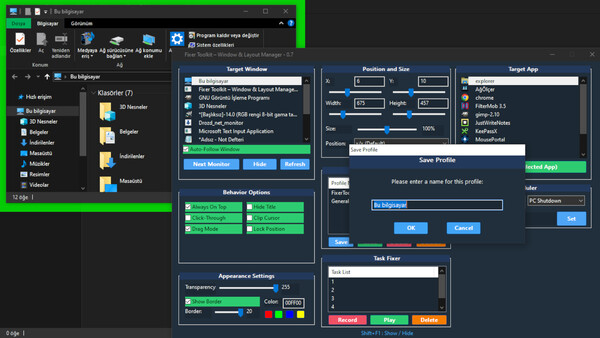
- Profiles: save your ideal window setup and load it instantly. Intelligent loading can launch the target app if it isn’t open, and can reopen specific saved folders.
- Target App list: automatically tracks and sorts recently used applications for quick launching.
- Task Fixer (Record/Play): record mouse, keyboard, and window-focus events, then replay them reliably with smart waiting for the correct app state.
- Advanced key mapper: global remapping with modifiers (Ctrl/Alt/Shift) and a “Listen” mode for easy detection.
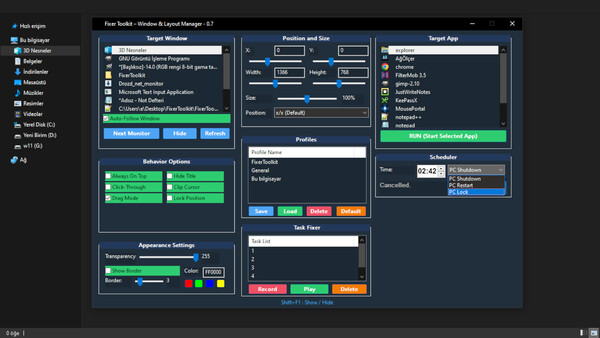
- Scheduler: schedule shutdown, restart, or lock actions at a chosen time.
Note: Some applications and games may restrict automation or input manipulation. Always check their Terms of Service before use.