
StimDock CD Key
Current Lowest Price






Release Date
Publisher/Developer
Reviews
StimDock description
StimDock — Desktop Micro-Game Suite
StimDock is a compact collection of tiny games and visual simulations that live on your desktop as a lightweight, always-on companion. It is designed to be opened, explored, and kept visible while you work, browse, or enjoy other activities on your machine.
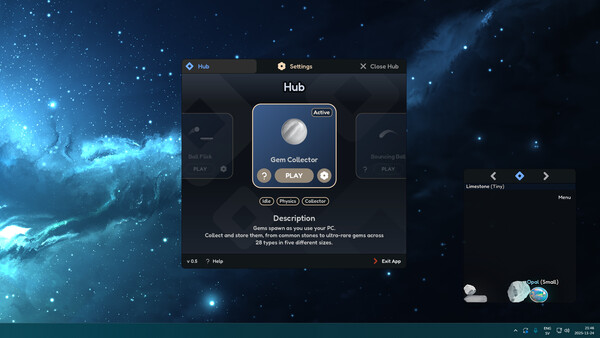
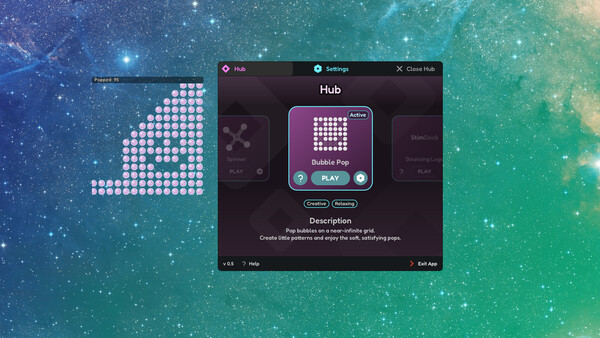
Navigate from a central Hub to interact with the lineup. The Hub presents a simple screen where you can browse, preview, and launch each micro‑experience. You can switch between games at any moment, read quick instructions, and tune settings to fit your workflow. The Hub acts as your control center, making it easy to discover new moments of interaction without leaving your current task.
Each game or simulation runs inside its own small, transparent window that floats above your other applications. The windows are easy to grab, move, resize, and reposition, so StimDock stays accessible without intruding on your space. Keep a window open to glance at a playful visual system, or cluster several around your screen for a lightweight, ambient interface to your day.
The collection spans a spectrum of tiny experiences—from spinners and sliders that invite tactile exploration to click‑based challenges and purely visual systems that reward observation. Some pieces invite active engagement, others serve as quiet visuals to accompany your focus, and a few can quietly run in the background as you work on something else. The variety is designed to be approachable yet stimulating, offering small moments of interaction whenever you need them.
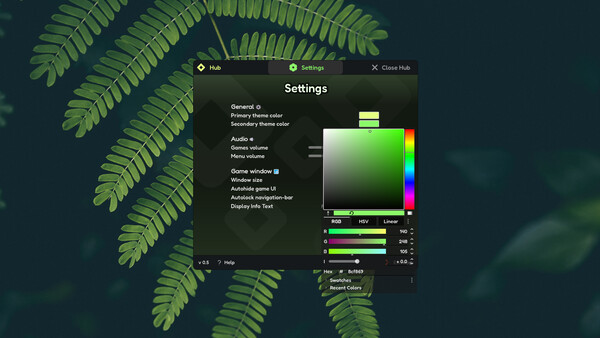
Customization is central to StimDock. You can adjust how windows behave globally and per game, tailoring things like window position, visibility, and interaction style to your preferences. Switch between games on the fly, tweak controls to your liking, and create a desktop rhythm that matches your day. The result is a lightweight tool that adapts to you—an ever-present, low‑effort companion that adds micro‑experiences without getting in your way.
In essence, StimDock is not a single game but a curated sandbox of micro‑experiences designed for the desktop. It’s built to be explored, observed, and enjoyed in a way that supports productivity, curiosity, and a touch of play. Open StimDock, keep it running, and let a small ecosystem of floating, interactive visuals accompany your workflow—subtle, accessible, and ready whenever you want a tiny spark of interaction.