
Double Cross Dungeon CD Key
Current Lowest Price

Release Date
Publisher/Developer
Reviews
Double Cross Dungeon Steam Price History Chart
Lowest Steam price ever: FREE — 2026-10-20 — Current low
Double Cross Dungeon description
Double Cross Dungeon
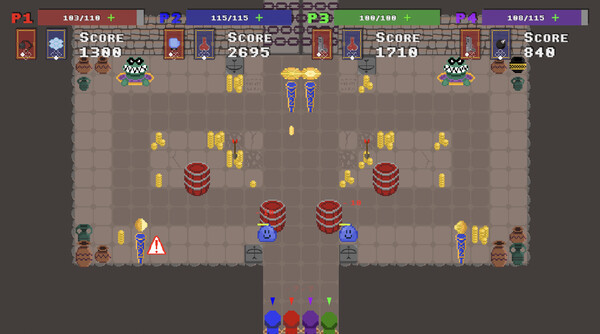
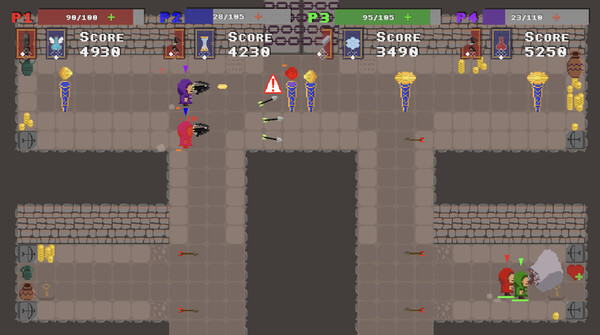
Trapped in the Temple of Nimh, your party battles through a dangerous dungeon in a tense co-op experience. Work together to clear rooms, defeat enemies, and push toward freedom. But danger isn’t only from the lurking foes—one of you may be corrupted by the Traitor Card, turning ally into enemy. Survive the betrayal as you race to escape, or lose your team to a friend-turned-foe.
Key Features
- Cooperative dungeon crawling for 2–4 players on a laptop or PC, using multiple controllers.
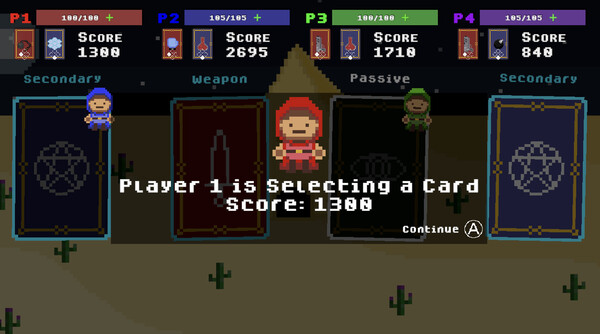
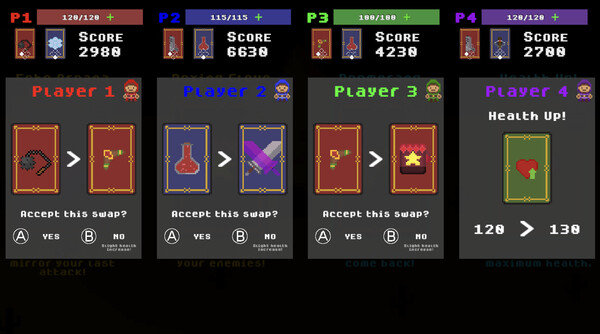
- Card-based progression: collect Ancient Cards to level up and empower your team between chambers.
- Enemy-filled rooms demand teamwork and strategy; coordinate attacks to advance.
- The Traitor Card adds a social twist: a trusted ally can become your greatest threat from within.
- Starting the journey requires standing on pressure plates, then selecting your cards before entering the next fight.
How It Plays
Move as a team through each dungeon chamber and use the power of Ancient Cards to overcome enemies. The objective is simple and dangerous: survive the dungeon, escape its traps, and outlast the traitor among you. Card choices shape your tactics, offering different buffs, abilities, and synergies that must be shared by the group to prevail.
Setup & Controls
To play, connect 2–4 controllers to your computer via Bluetooth or cable. Stand on the pressure plates to start, then use your chosen cards to begin the fight.
In-game controls (typical mappings):
- Movement: Left Joystick
- In-game Menu (Toggle): Plus button
- Stats Peeks: Left Bumper
- Card Selection: Move to a card with the Left Joystick
- Confirm: A
- Deny: B
- Switch Cards: Primary button (depending on controller layout)
Note on compatibility: if you’re using a Nintendo Switch Pro Controller wired, or want vibration support, enable Steam Input for Switch Pro Controllers in Steam before launching, otherwise some features may not be supported. Also ensure the correct button layout is selected so in-game prompts align with your controller.