

EmoteLab CD Key
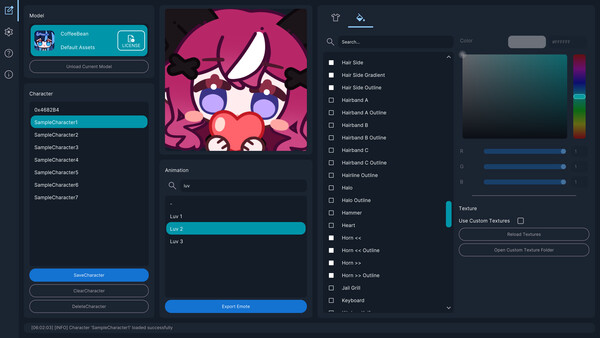
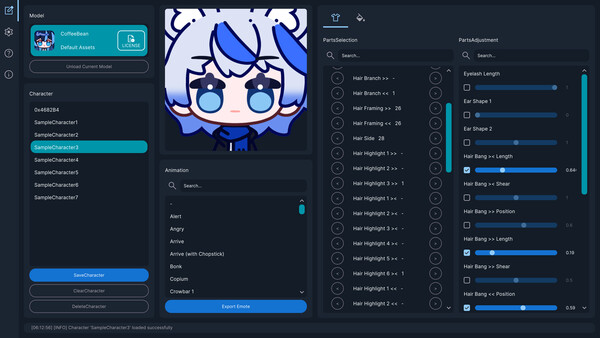
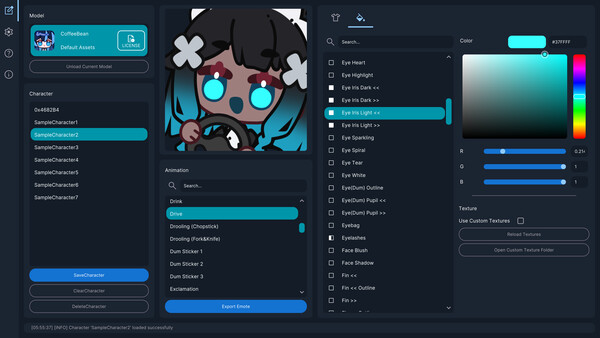
EmoteLab is a beginner-friendly character creator and animated emote tool for Discord, Twitch, and social media. Build avatars from preset parts, preview animations in real time, and export GIFs with platform presets. Save multiple characters, share presets, and customize colors, sizes, and outfits.
Looking for the best price for EmoteLab? Compare offers from 1 stores on CheckGamePrices to find the cheapest Steam key available. Right now, the lowest price is 8.99$ at Steam.
Current Lowest Price
8.99$

Visit store
Release Date
01 Feb, 2026
Publisher/Developer
0x4682B4, GlycoProduction
Reviews
Steam: 96.88% positive (1116/1152)
Metacritic: -
Recommended games



EmoteLab Steam Price History Chart
Current Steam price: 8.99$
Lowest Steam price ever: 8.09$ — 2026-02-08
Lowest Steam price ever: 8.09$ — 2026-02-08
Loading EmoteLab price history chart...
EmoteLab description
EmoteLab — Create Animated Emotes and Personal Avatars
EmoteLab is a utility tool for building customized characters and animated emotes. Exported emotes can be used on Discord, Twitch, and a variety of social media or chat apps. Perfect for content creators, VTubers, or anyone who loves expressive emojis in daily chats, EmoteLab makes it easy to sprinkle personality into conversations and boost community engagement.
The application includes a built‑in customizable character model with a wide range of preset parts and animation clips. Combine hairstyles, facial features, clothing, and accessories to craft original characters, personal avatars, or playful chat emotes. You can adjust character size and other properties to meet the upload requirements of different platforms.
Key Features
- Beginner‑friendly interface for character customization
- Real‑time preview of changes
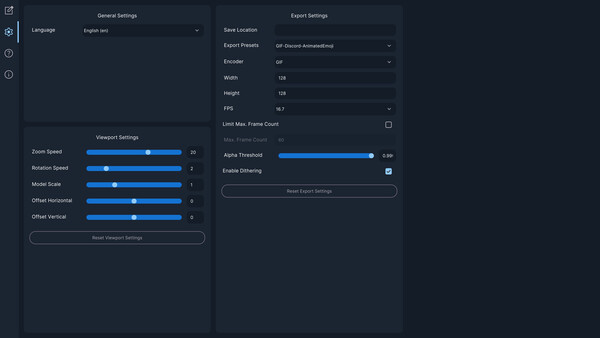
- Flexible export settings for common platforms
- Save and reuse character presets
- Supports third‑party Spine2D models (Version 4.3 required; specific naming conventions to enable built‑in customization)
What You Can Do
- Create Custom Characters: Mix and match parts such as hair, facial features, clothing, and accessories. Adjust parts with intuitive sliders and apply color tints. Save character presets for later use.
- Preview & Test Animations: Browse the built‑in animation library, preview how your character looks in different animations, and zoom, rotate, or reposition in the viewport. Try combinations before exporting.
- Export Animated GIFs: Export animations as GIFs with control over output size, frame rate, and quality. Use presets optimized for platforms like Discord and Twitch, including transparent backgrounds.
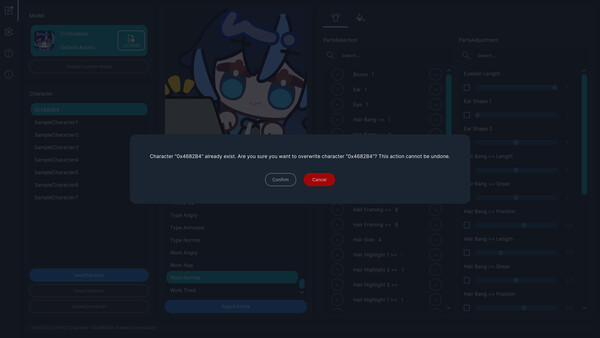
- Manage Your Characters: Save multiple variations, switch between saved characters, delete unused ones, and export character settings to share presets with others.
Ideal For
Creating animated emojis and emotes for Discord, Twitch, and social media; adding personalized emotes to everyday chats; and generating short character animations for casual content creation.
Notes Before Purchasing
EmoteLab uses a premade, customizable character model. While it offers a variety of parts and animations, there are limits to what can be created, based on the current version’s included assets. The developer may add new parts and clips over time, but updates are not guaranteed. Review the documentation to see the current list of available parts and clips. EmoteLab is designed for general users with no animation background and does not support keyframing or manual editing of individual part movements.