
HYPERVOX CD Key
Current Lowest Price


Release Date
Publisher/Developer
Reviews
HYPERVOX Steam Price History Chart
Lowest Steam price ever: FREE — 2026-10-20 — Current low
HYPERVOX description
HYPERVOX
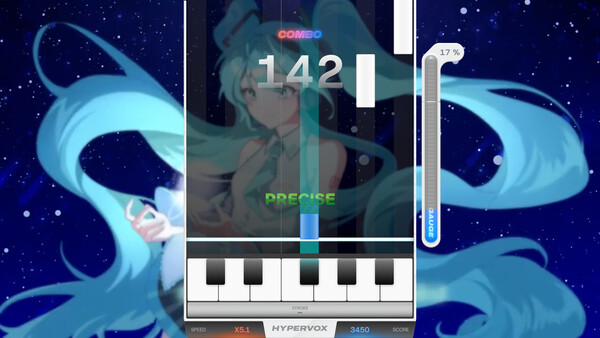
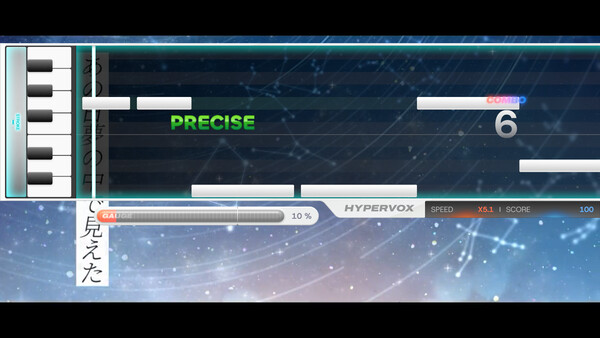
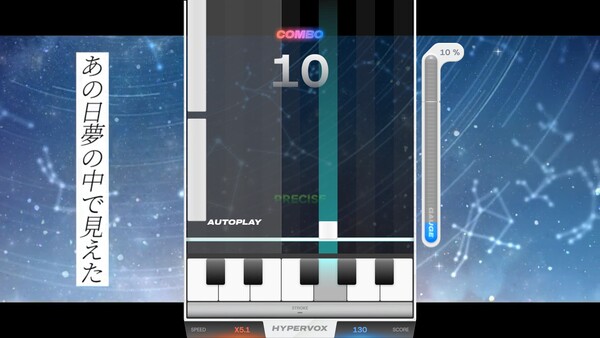
HYPERVOX is a musical rhythm game where you perform the vocal melody of songs in real time. The game uses 12 lanes, one for each note from C to B, with each lane having its own input. When a note reaches the judgement line, press the matching key to hit the note and reproduce the vocal line as you play.
Controls and lanes
There are 12 normal keys plus two octave keys. By default the lanes map to: Z, S, X, D, C, V, G, B, H, N, J, M. The octave up key is Left Shift and the octave down key is Spacebar. All keys can be customized or reset in the settings. MIDI keyboards are supported: the 12 keys C–B on a MIDI keyboard map directly to the 12 lanes, regardless of octave. Tilting the pitch wheel up activates octave up, while tilting it down activates octave down.
Notes and how to play
There are two types of notes: standard notes and octave notes. Standard notes behave like traditional long notes: press the lane key when the note starts, hold for the duration, and release at the end. Octave notes require a separate technique: first hold the octave key, then press the corresponding lane key when the note reaches the judgement line, and release when the note ends.
Visual cues distinguish note types: standard notes appear in one style, octave notes in another. In colorblind mode, octave notes use alternative visual cues to keep timing clear.
Judgement and scoring
Your timing is evaluated with five judgement levels. Precise is within ±50 ms, followed by Great (±50–100 ms), Fair (±100–150 ms), Close (±150–300 ms), and Break for misses beyond ±300 ms. Each level affects scores and your current combo accordingly.
Speed and customization
If the notes feel too fast or slow, you can adjust the visual scroll speed with F1 (slower) and F2 (faster). This only changes the display speed; the actual timing window remains unchanged. All key mappings are adjustable in the settings.
Creating song data
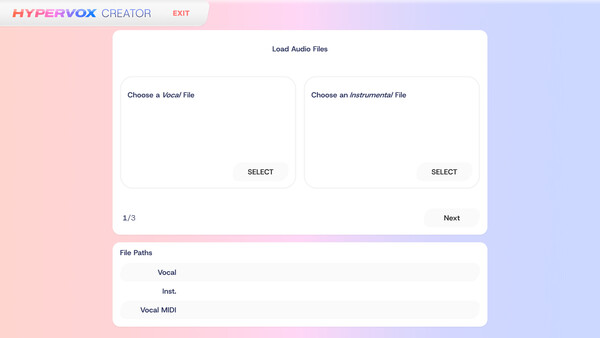
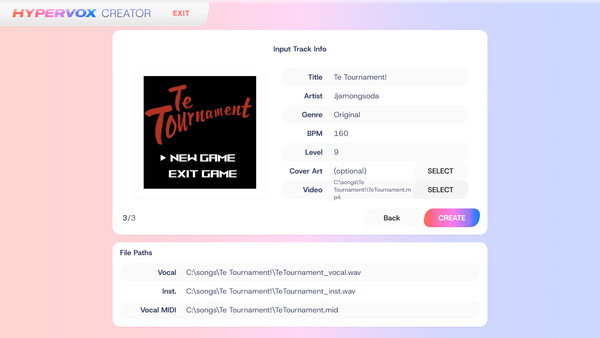
To create a track, choose your vocal and instrumental audio files (recommended format: 44.1kHz / 16-bit WAV with matching sample rates). Provide a MIDI file containing a single vocal track that matches the vocal audio (harmonies are not supported). If you don’t have a MIDI file, you can use an experimental AI feature to convert vocal audio to MIDI, noting that long songs may produce segmentation. In any case, enter all track details, including accurate BPM. Album art and background video are optional. If including video, use MP4 on Windows or WebM with VP8 on other platforms. Once created, the track appears in the TRACKS menu for play.
HYPERVOX blends rhythm, pitch, and melody into a responsive vocal performance experience, with precise timing, customizable inputs, and accessible tools to craft your own vocal-driven tracks.